How to Split Household Tasks So Nothing Falls Through the Cracks
Most household tasks are not forgotten because people are careless. They slip because two people both assumed the other one had it. A task gets done when it has one owner, one date and one place for questions.
Step 1: Start a family group
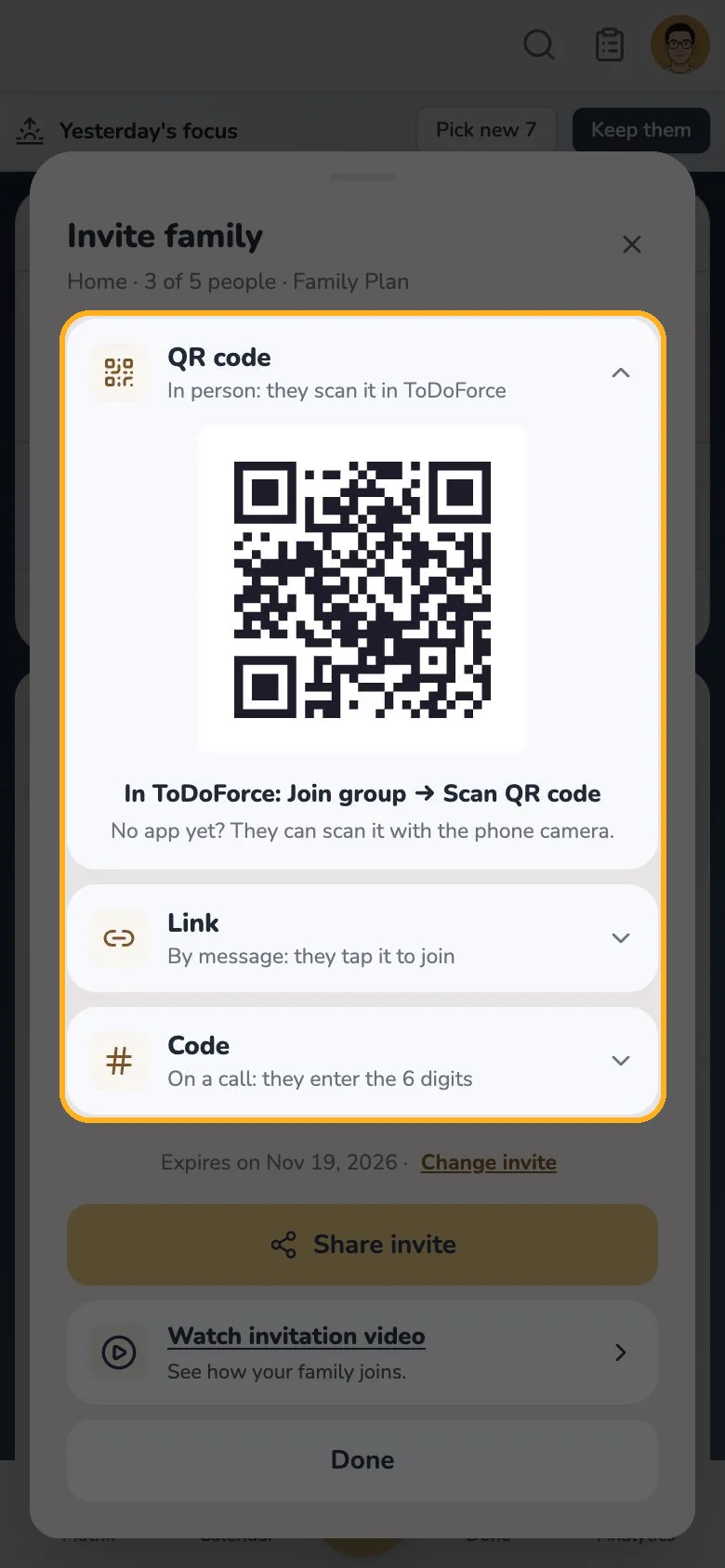
Create a group and invite each person the way that suits them: a QR code to scan in person, a link to send by message, or a six-digit code to read out on a call. The invitation is valid for 7 days.
On the Free plan a group has 2 adults and 3 active shared items. A Family Plan held by any member raises this to 5 adults and unlimited shared items; the others keep free accounts.
Step 2: Share the task with the right people
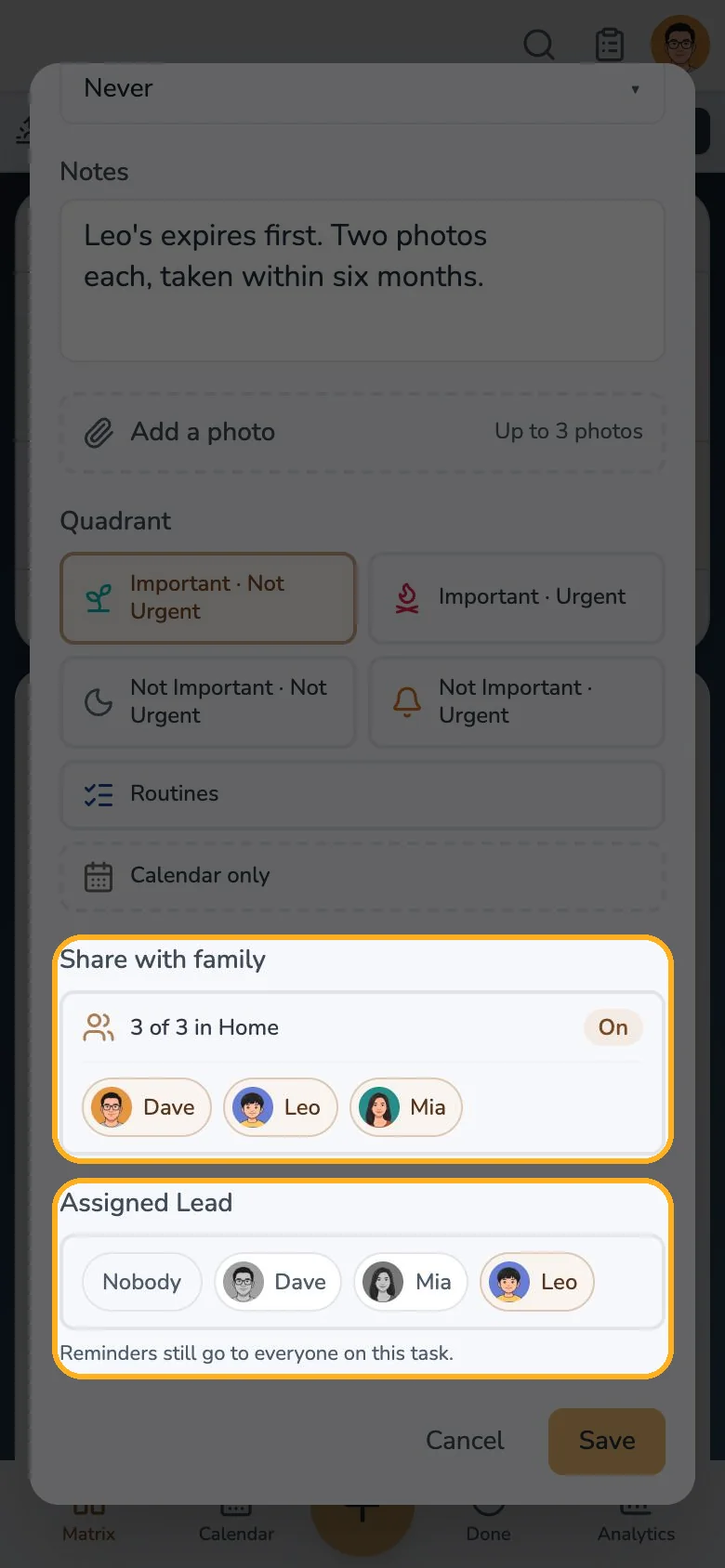
Open a task or appointment and turn on Share with family, then choose who should see it. Routines and list items stay private.
Step 3: Name one owner
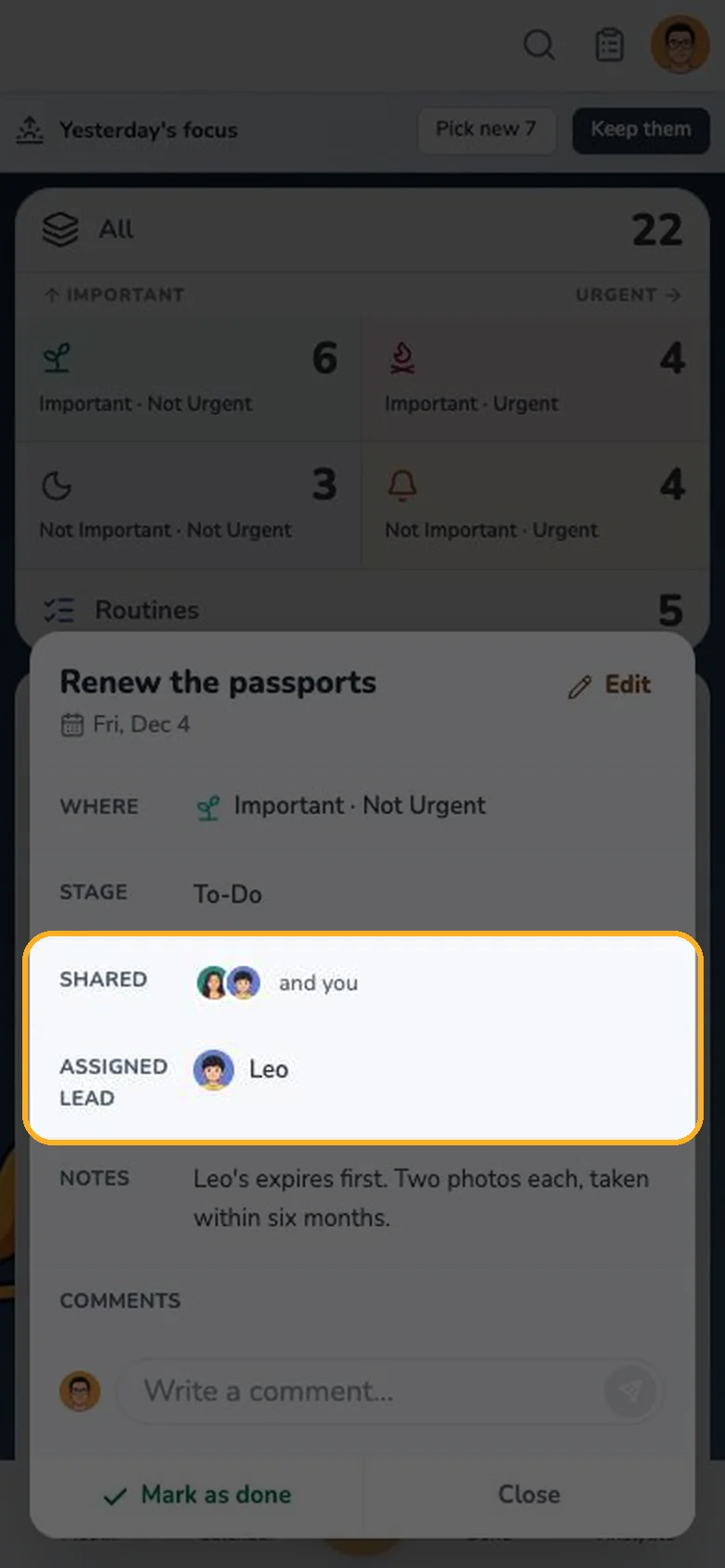
Right under the sharing options, pick the Assigned Lead. The lead answers "whose turn is it?"; the reminder still goes to everyone the item is shared with.
Step 4: Keep the questions on the task
Ask "which policy number?" in the task's Comments instead of a chat, so the answer stays with the task. Comments do not send push notifications.
A quick weekly routine
- On Sunday, list the shared tasks for the week.
- Give each one a date and an Assigned Lead.
- Check the family card each morning: the items you lead are shown first.